#Kafka#Python#MySQL#MongoDB
Kafka와 Python을 활용한 데이터 동기화
kafka-python 라이브러리를 활용한 MySQL에서 MongoDB간의 데이터 마이그레이션
MySQL에 쌓인 데이터를 MongoDB로 옮겨야 할 때,
Kafka를 메시지 브로커로 두고 Python으로 Producer/Consumer를 작성해 마이그레이션을 구현했다.
☑️ 아키텍처 개요
MySQL → (Producer) → Kafka Topic → (Consumer) → MongoDB
- MySQL: 원본 데이터 저장소
- Kafka: 변경 데이터를 안정적으로 전달
- MongoDB: 목적지 데이터베이스
- Python 스크립트: Producer/Consumer 구현체
☑️ 과정 흐름
- MongoDB 및 관리 도구 설치
- MySQL 테스트 데이터 준비
- Kafka(Zookeeper 포함) 실행 및 토픽 생성
- Python Producer 작성 및 실행
- Python Consumer 작성 및 실행
- 중복/업데이트 처리 로직 보강
☑️ 1. MongoDB 준비
- Docker로 MongoDB 컨테이너 실행
docker pull mongo docker run --name mongodb -dp 27017:27017 mongo - GUI가 필요하면 MongoDB Compass 설치 후 접속
- 사용할 데이터베이스/컬렉션 미리 생성 (예:
mongotest.mongotestcollection)
☑️ 2. MySQL 테스트 데이터 생성
CREATE TABLE post_tags (
    id INT AUTO_INCREMENT PRIMARY KEY,
    count INT,
    info VARCHAR(255),
    item_name VARCHAR(255),
    price FLOAT,
    todaycount INT
);

CREATE TABLE post (
    id INT AUTO_INCREMENT PRIMARY KEY,
    count INT,
    info VARCHAR(255),
    item_name VARCHAR(255),
    price FLOAT,
    todaycount INT
);

INSERT INTO post_tags (count, info, item_name, price, todaycount) VALUES
(10, 'Sample post tags info 1', 'Sample item 1', 100.0, 5),
(20, 'Sample post tags info 2', 'Sample item 2', 200.0, 8),
(30, 'Sample post tags info 3', 'Sample item 3', 300.0, 12);

INSERT INTO post (count, info, item_name, price, todaycount) VALUES
(15, 'Sample post info 1', 'Sample item 4', 150.0, 3),
(25, 'Sample post info 2', 'Sample item 5', 250.0, 6),
(35, 'Sample post info 3', 'Sample item 6', 350.0, 9);
☑️ 3. Kafka와 토픽 생성
docker-compose.yml
version: '3.8'
services:
  zookeeper:
    image: wurstmeister/zookeeper:latest
    container_name: zookeeper
    ports:
      - "2181:2181"
  kafka:
    image: wurstmeister/kafka:latest
    container_name: kafka
    ports:
      - "9092:9092"
    environment:
      KAFKA_ADVERTISED_HOST_NAME: 127.0.0.1
      KAFKA_ZOOKEEPER_CONNECT: zookeeper:2181
    volumes:
      - /var/run/docker.sock:/var/run/docker.sock
- 컨테이너 실행 후 토픽 생성
docker-compose up -d
docker exec -it kafka /bin/bash
kafka-topics.sh --create --topic MongoMysql --bootstrap-server localhost:9092 --replication-factor 1 --partitions 1
☑️ 4. Python Producer 작성
- MySQL에서 데이터를 읽어 JSON으로 직렬화한 뒤 Kafka로 전송
from kafka import KafkaProducer
from json import dumps
import mysql.connector
from datetime import datetime

class MySQLData:
    def __init__(self, host, user, password, database):
        self.connection = mysql.connector.connect(
            host=host,
            user=user,
            password=password,
            database=database
        )
        self.cursor = self.connection.cursor()

    def fetch_data(self, table_name):
        query = f"SELECT * FROM {table_name}"
        self.cursor.execute(query)
        columns = [column[0] for column in self.cursor.description]
        return [dict(zip(columns, self._convert(row))) for row in self.cursor.fetchall()]

    def _convert(self, row):
        converted = []
        for item in row:
            if isinstance(item, datetime):
                converted.append(item.strftime('%Y-%m-%d %H:%M:%S'))
            else:
                converted.append(item)
        return converted

class KafkaProducerWrapper:
    def __init__(self, topic):
        self.producer = KafkaProducer(
            acks=1,
            compression_type='gzip',
            bootstrap_servers=['localhost:9092'],
            value_serializer=lambda x: dumps(x).encode('utf-8')
        )
        self.topic = topic

    def send_data(self, data):
        self.producer.send(self.topic, value=data)
        self.producer.flush()

def main():
    mysql_data = MySQLData(host='localhost', user='root', password='123qwe', database='kafka')
    kafka_producer = KafkaProducerWrapper(topic='MongoMysql')

    for table in ['post_tags', 'post']:
        for row in mysql_data.fetch_data(table_name=table):
            kafka_producer.send_data(row)
            print(f"Data sent to Kafka ({table}): {row}")

if __name__ == "__main__":
    main()
☑️ 5. Python Consumer 작성
- Kafka에서 메시지를 받아 MongoDB에 적재
from kafka import KafkaConsumer
from json import loads
import datetime
import pymongo

class Mongodb:
    def __init__(self):
        self.client = pymongo.MongoClient("mongodb://localhost:27017")
        self.db = self.client['mongotest']
        self.collection = self.db['mongotestcollection']

    def upsert(self, message):
        existing = self.collection.find_one({'id': message['id']})

        if existing:
            result = self.collection.update_one({'id': message['id']}, {'$set': message})
            if result.matched_count:
                print(f"Data updated in MongoDB: {message}")
        else:
            self.collection.insert_one(message)
            print(f"Data inserted into MongoDB: {message}")

class Consumer:
    def __init__(self):
        self.consumer = KafkaConsumer(
            'MongoMysql',
            bootstrap_servers=['localhost:9092'],
            auto_offset_reset='earliest',
            enable_auto_commit=False,
            group_id='my-group',
            value_deserializer=lambda x: loads(x.decode('utf-8')),
            consumer_timeout_ms=1000
        )

    def log_message(self, message):
        timestamp = datetime.datetime.fromtimestamp(message.timestamp / 1000)
        print(f"Topic:{message.topic}, partition:{message.partition}, offset:{message.offset}, datetime:{timestamp}")

    def run(self, mongodb):
        for message in self.consumer:
            self.log_message(message)
            mongodb.upsert(message.value)
            self.consumer.commit()

def main():
    Consumer().run(Mongodb())

if __name__ == "__main__":
    main()
☑️ 6. 실행 및 결과 화면
- consumer를 실행시킨 모습
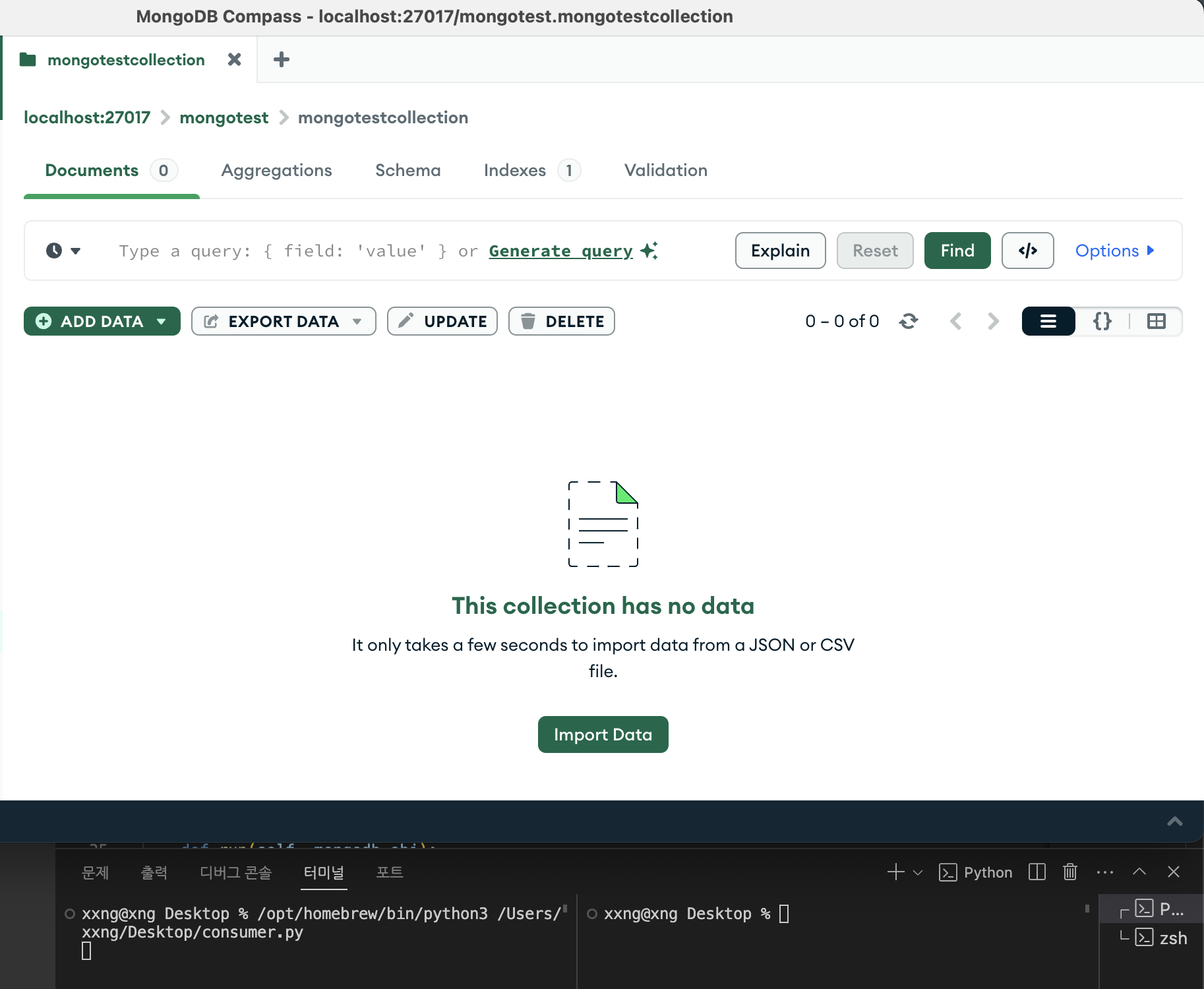
- producer.py를 실행시킨 모습
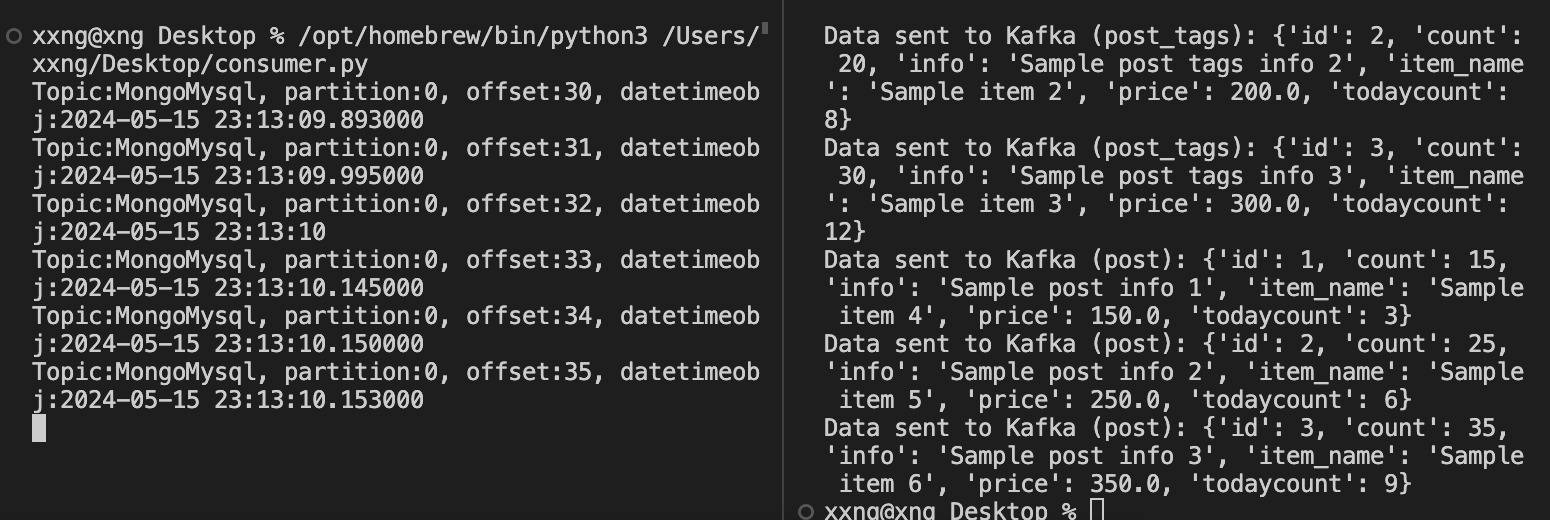
- MongoDB Compass에서 확인한 모습
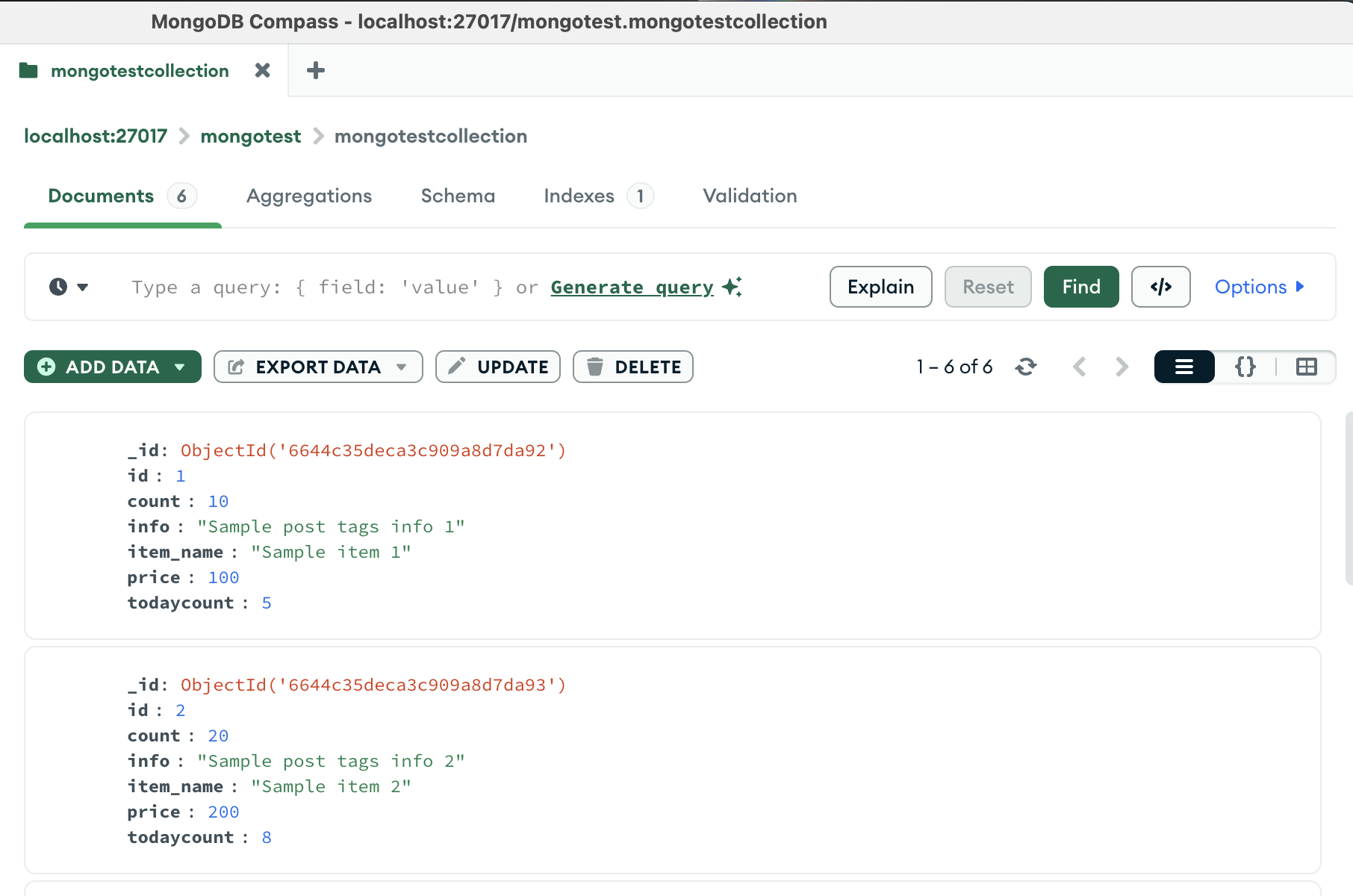
현재는 중복된 데이터를 확인하는 절차와 수정된 데이터가 있는지 확인하는 프로세스가 없는데,
따라서 producer.py가 실행될 때마다 document가 계속 생성된다.
☑️ 7. 중복 및 갱신 처리 개선
upsert 로직을 추가해 id 기준으로 중복을 체크하고, 값이 바뀌면 update_one으로 갱신하도록 했다.
실제 운영에서는 Change Data Capture(CDC) 도구를 쓰는 것이 더 안전하다.
- 업데이트 감지 코드
    def insert(self, message):
        existing_document = self.collection.find_one({'id': message['id']})

        if existing_document:
            # 중복된 값이 있을 경우 업데이트
            result = self.collection.update_one({'id': message['id']}, {'$set': message})
            if result.matched_count > 0:
                print("Data updated in MongoDB: {}".format(message))
            else:
                print("Duplicate data found. Skipping insertion.")
        else:
            # 중복된 값이 없을 경우 삽입
            self.collection.insert_one(message)
            print("Data inserted into MongoDB: {}".format(message))
# 결과
Data updated in MongoDB: {'id': 1, 'count': 100, 'info': 'Sample post info 1', 'item_name': 'Sample item 4', 'price': 150.0, 'todaycount': 3}
- 결과 캡처

☑️ 자동 실행 스크립트 예시
주기적으로 Producer를 실행하고 싶다면 다음과 같이 shell 스크립트를 작성할 수 있다.
while true
do
    python kafka_producer.py
    sleep 5
done